【Development Journey in Rybit】 How Changing an Asset Quota Was Quietly Overloading Our Server
Background
This is one of the fixes I implemented in Rybit company and I want to share the story behind it. It’s a great example of how a small UI change can have hidden performance implications, and how understanding React's rendering behavior is key to optimizing user experience.
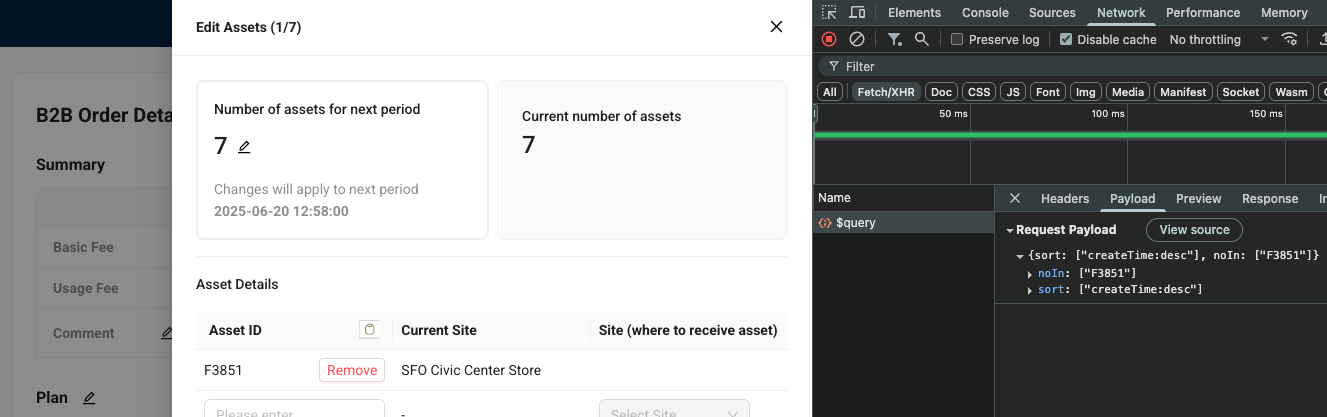
In Rybit's B2B order management, the Edit Assets Drawer is one of the most frequently used workflows — operators use it to adjust how many assets a Partner needs for the next subscription period and which site each asset should transfer to.
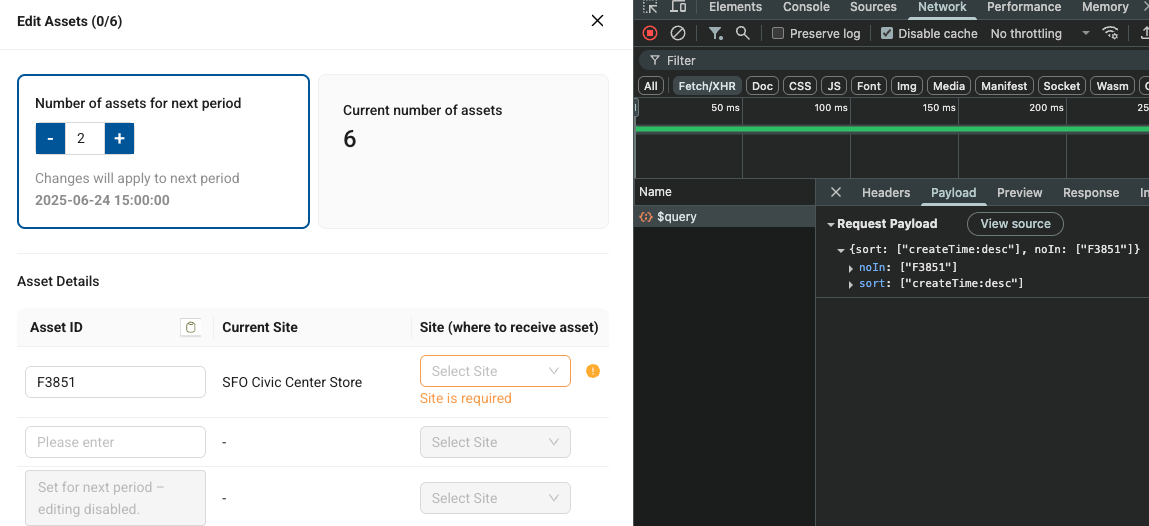
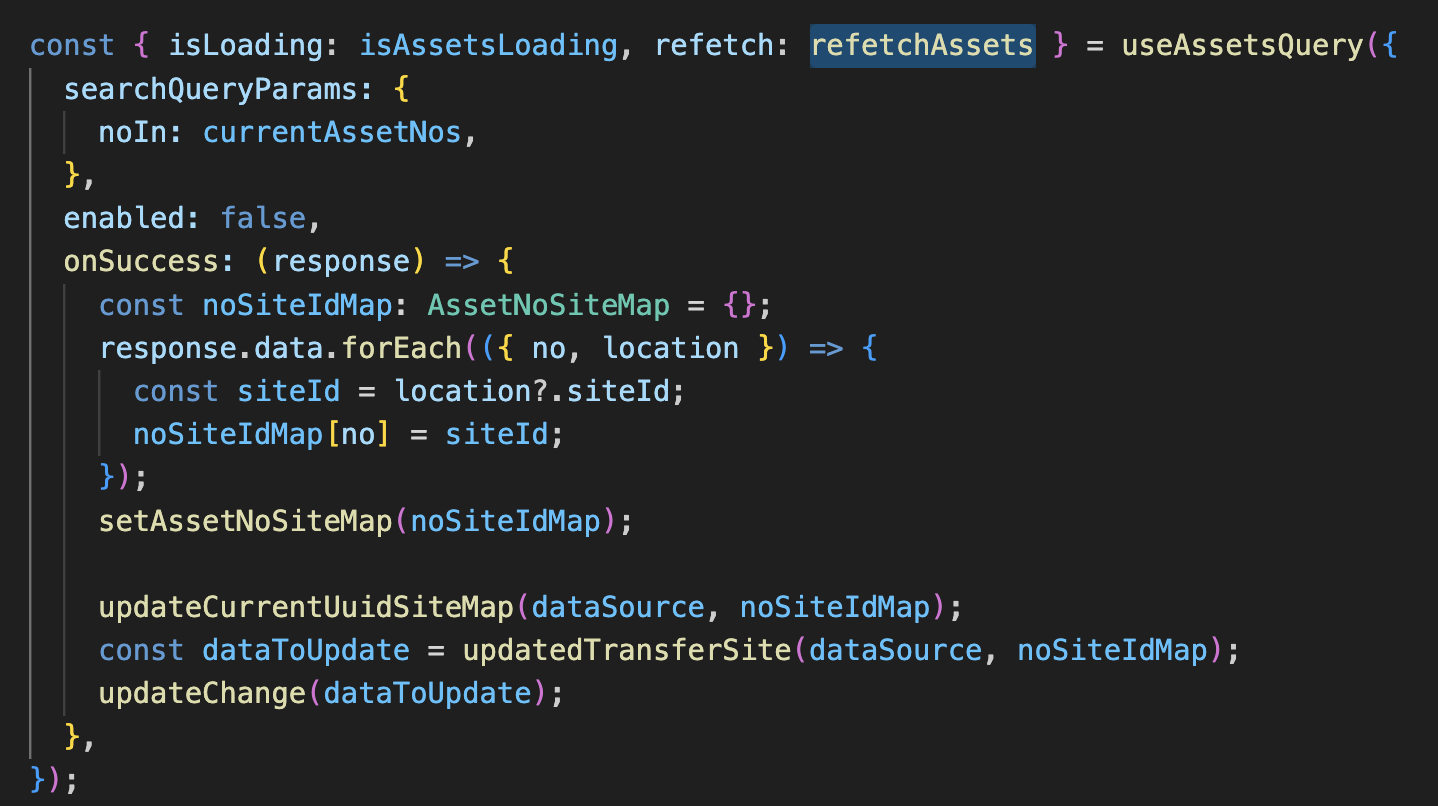
I discovered that every time the operator adjusted the "Number of assets for next period" field, the system sent a POST API with all asset IDs to fetch each asset's current site — even if the operator didn't change any asset IDs. This was an unnecessary API call that could overload our server and degrade user experience. Even when server response was fast, the redundant API call caused a noticeable delay in the UI, making the application feel sluggish.
Problem
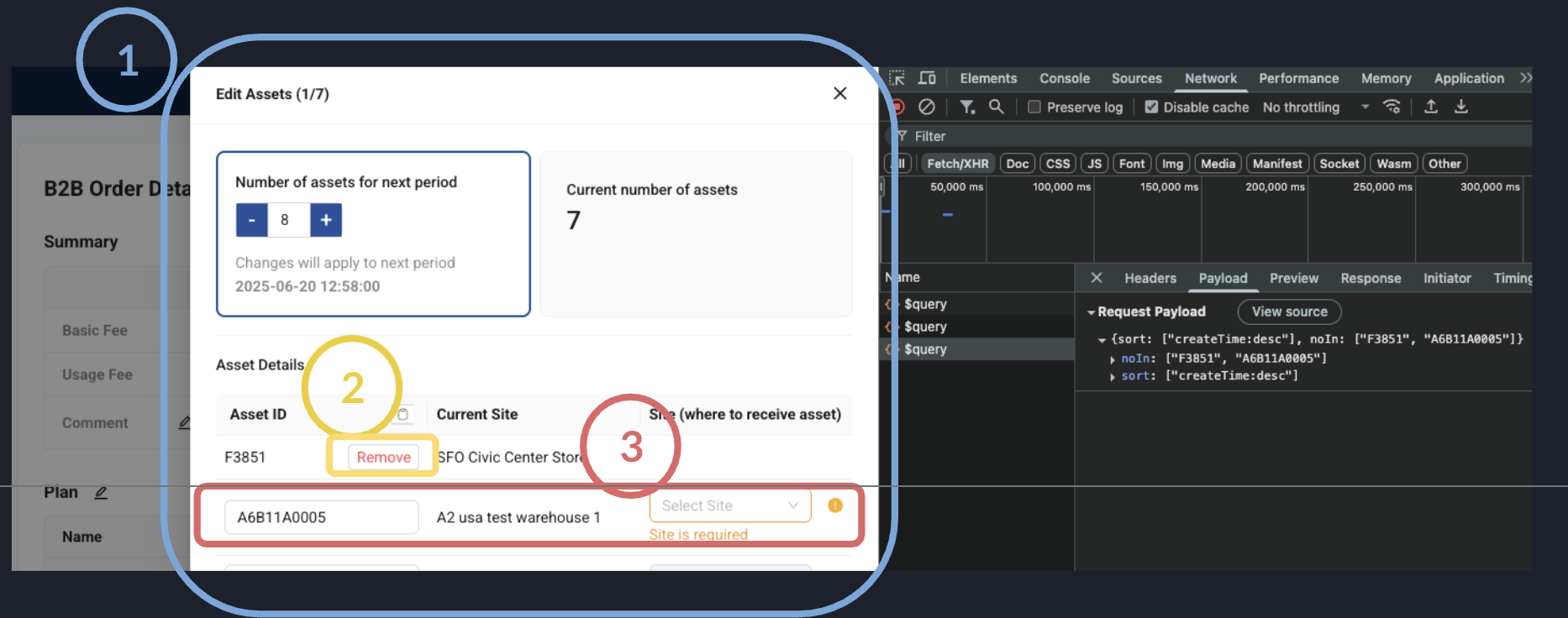
These three actions require fetching asset site data, we want to keep those API calls:
-
When the drawer opens, the system fetches each asset's current site to populate the "Site" column.
-
When the operator removes an asset, the system refetches sites for the remaining assets.
-
When the operator edits an asset ID and blurs the input, the system fetches the site for the new asset ID.
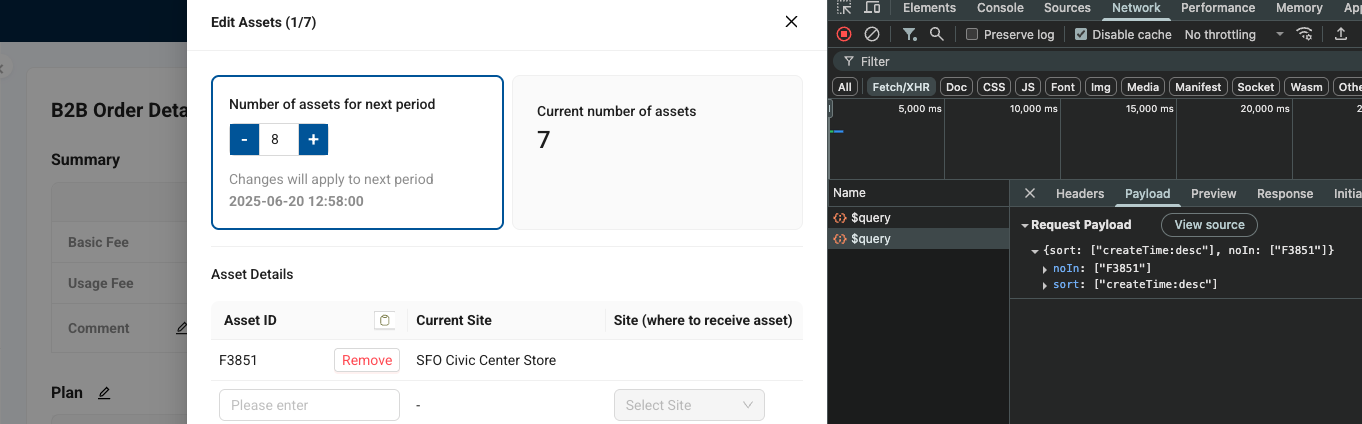
- When the operator adjusts the "Number of assets for next period" field, the system sends the same POST API call again — even if the operator doesn't change any asset IDs.
This is unnecessary and should be eliminated.
| Action | Expected to trigger api? |
|---|---|
| Open the drawer | ✓ Keep |
| Remove an asset from the table | ✓ Keep |
| Edit an asset ID (onBlur) | ✓ Keep |
| Adjust "Number of assets for next period" | ✗ Unnecessary — payload is identical, asset list unchanged |
Root Cause: Unstable initialValues Causes Child Remount
Original data flow:
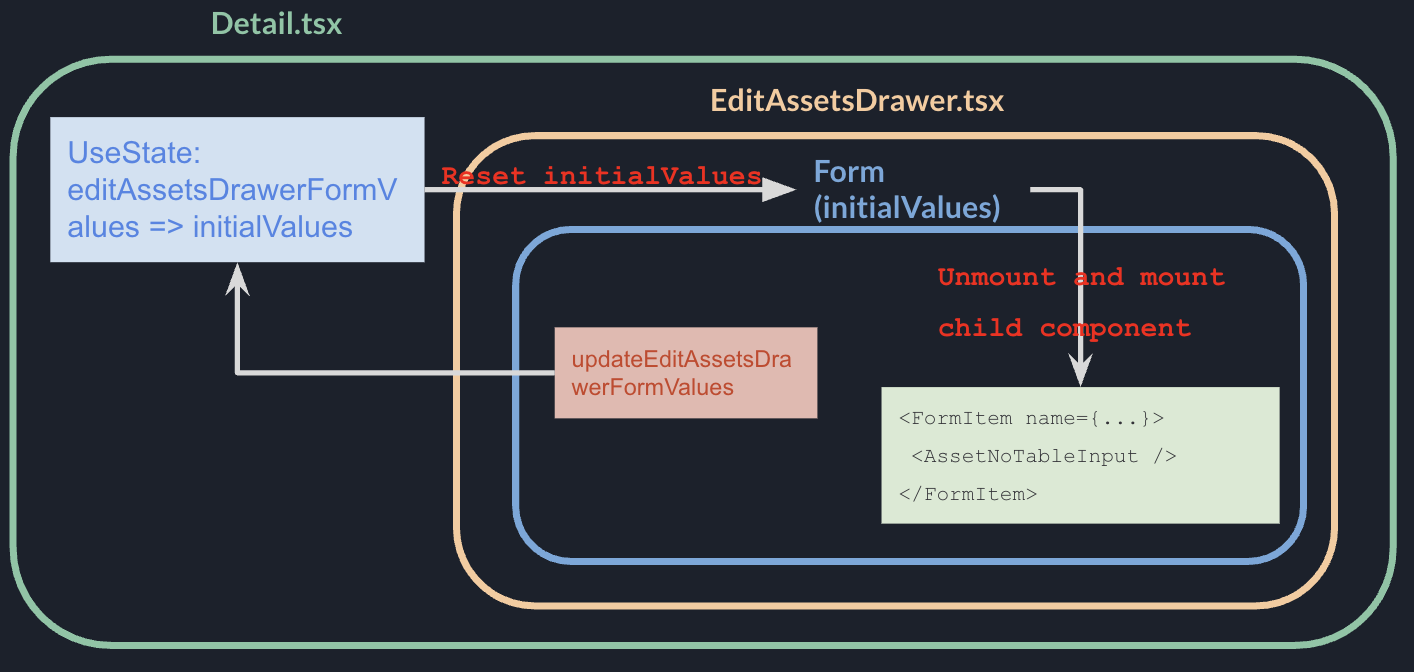
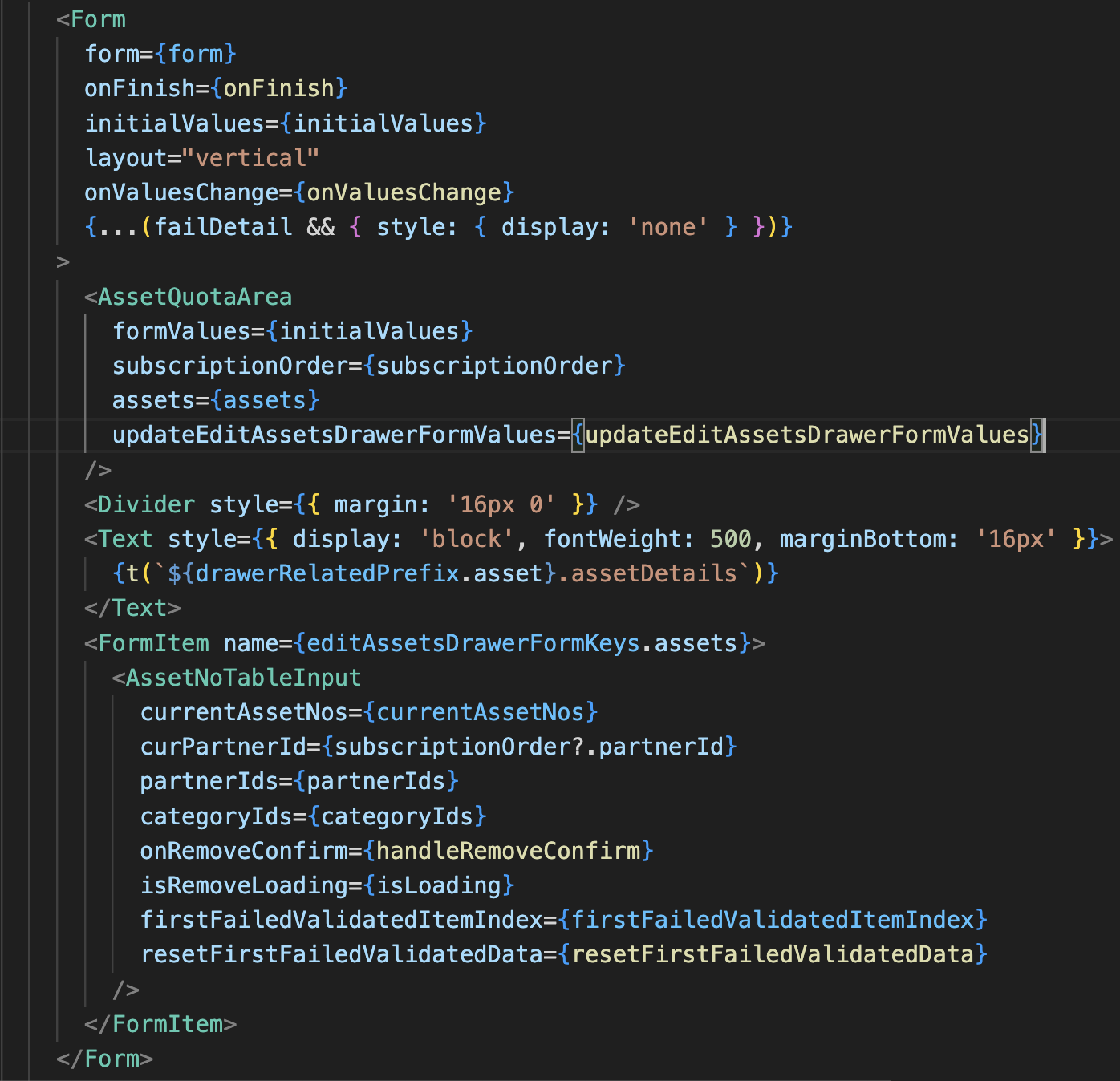
When the user adjusts the quota, AssetQuotaArea called updateEditAssetsDrawerFormValues, writing the new value back into Detail.tsx state. State update → new initialValues object reference → Antd Form treats any new initialValues reference as a reset and remounts all child components.
adjust quota → state update →
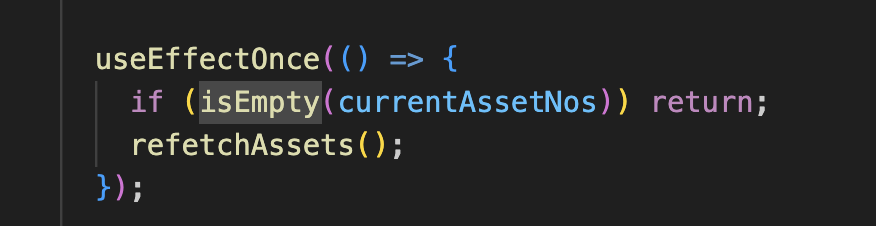
initialValuesreference changes → Form remounts children →useEffectOncefires → API call
useEffectOnce is designed to fire only once per component lifetime — but the guarantee is per mount, not per lifetime. Each remount creates a fresh component instance, so the effect fires again as if it had never run.
Original code causing the redundant API call
Fix
Overview
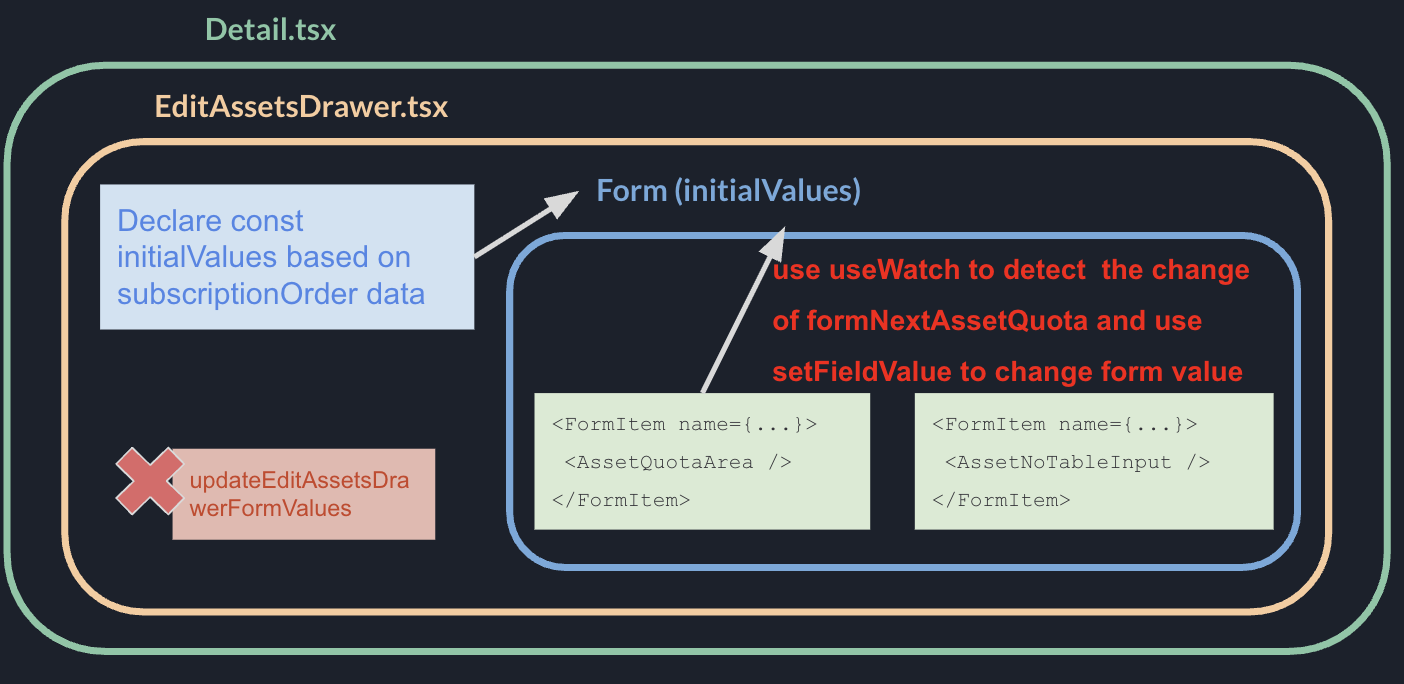
1. Stabilize initialValues with useMemo
Replace state-driven initialValues with a const computed from server data. Reference only changes when the dependency (order data) changes, so the Form doesn't remount on quota adjustments:
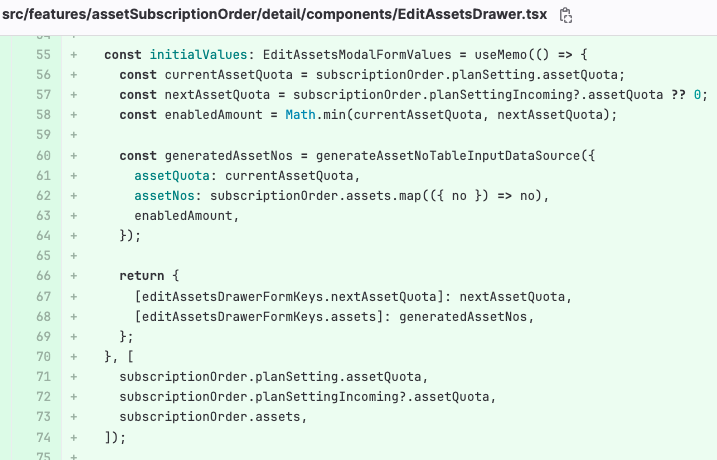
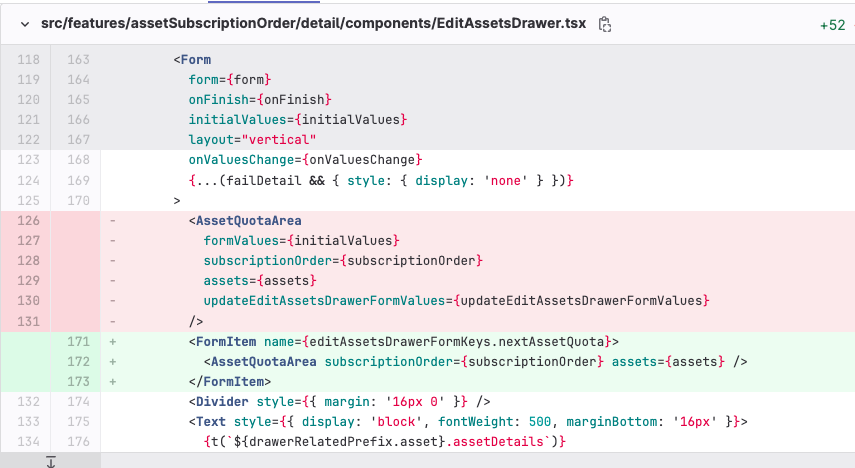
2. Move quota updates inside the Form: useWatch + setFieldValue
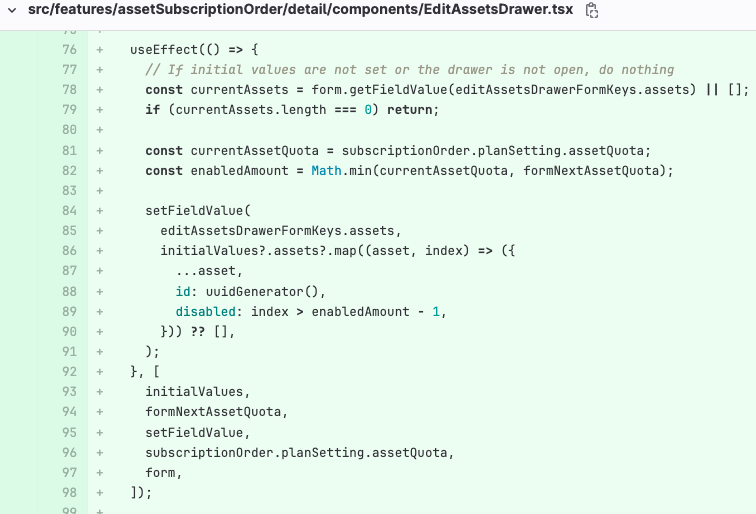
Convert AssetQuotaArea to a controlled component under <FormItem>. Remove updateEditAssetsDrawerFormValues. Detect quota changes with useWatch, update disabled state with setFieldValue:
3. Detect the formNextAssetQuota value with useWatch
const formNextAssetQuota = useWatch<number>(editAssetsDrawerFormKeys.nextAssetQuota, form) ?? 0;
useWatch subscribes to formNextAssetQuota, so when the operator adjusts the quota, we can conditionally disable or enable the site inputs without causing any remounts or API calls.
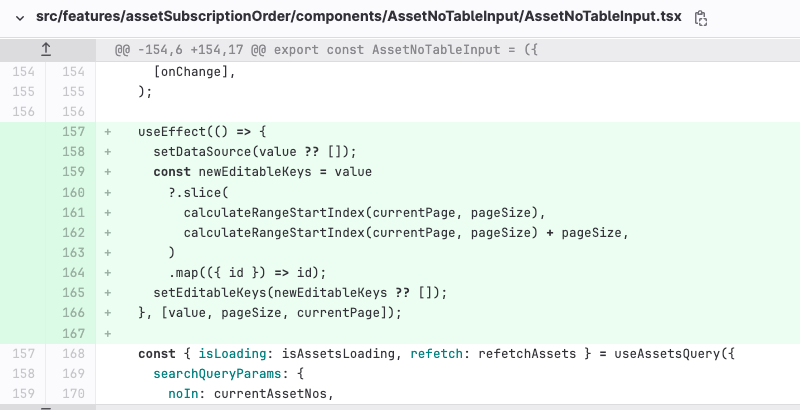
4. Sync EditableProTable's editableKeys
After adjusting Number of assets for next period, update new datasoure and set new newEditableKeys for EditableProTable:
Result
| Action | Before | After |
|---|---|---|
| Open the drawer | Fires ✓ | Fires ✓ |
| Remove an asset | Fires ✓ | Fires ✓ |
| Edit an asset ID (onBlur) | Fires ✓ | Fires ✓ |
| Adjust the quota number | Fires (unnecessary) | Does not fire ✓ |
Key Takeaways
- Antd Form
initialValuesis for initialization only. Any reference change triggers child remounts — don't use it as a live state channel. - For cross-field interactions inside a Form, keep state inside the Form. Use
useWatchto observe andsetFieldValueto update, rather than lifting to externaluseStateand feeding back throughinitialValues. EditableProTable'seditableKeysmust stay in sync with datasource. It controls the input display state of each row independently from the data itself.