Nginx Redirection & Gzip
Nginx Redirection & Gzip
A. Nginx Redirection
Nginx can redirect a request from one URL to another location.
For example, suppose a user visits:
gemstack.lol/help
We can configure Nginx so that the request redirects to an external website, such as the Mozilla Developer documentation.
Conceptually:
This means the user does not stay on /help.
Instead, Nginx tells the browser to go to another URL.
The course uses this mainly as an example of how redirection can be configured in an Nginx virtual server.
For example, inside the appropriate server block:
location /help {
    return 301 https://developer.mozilla.org/en-US/;
}
301 means the redirect is permanent. For a temporary redirect, Nginx commonly uses 302 instead.
B. What Is Gzip?
Gzip is a compression algorithm.
It can reduce the size of files before they are sent over the network.
Without compression:
With Gzip:
The browser understands Gzip and can unpack the compressed response.
The purpose is to avoid sending unnecessarily large files over the network.
C. Configure Gzip in Nginx
Gzip can be configured in the Nginx configuration file:
/etc/nginx/nginx.conf
Conceptually:
The course does not require us to modify these settings here; the main point is knowing that Nginx's Gzip behavior can be configured there.
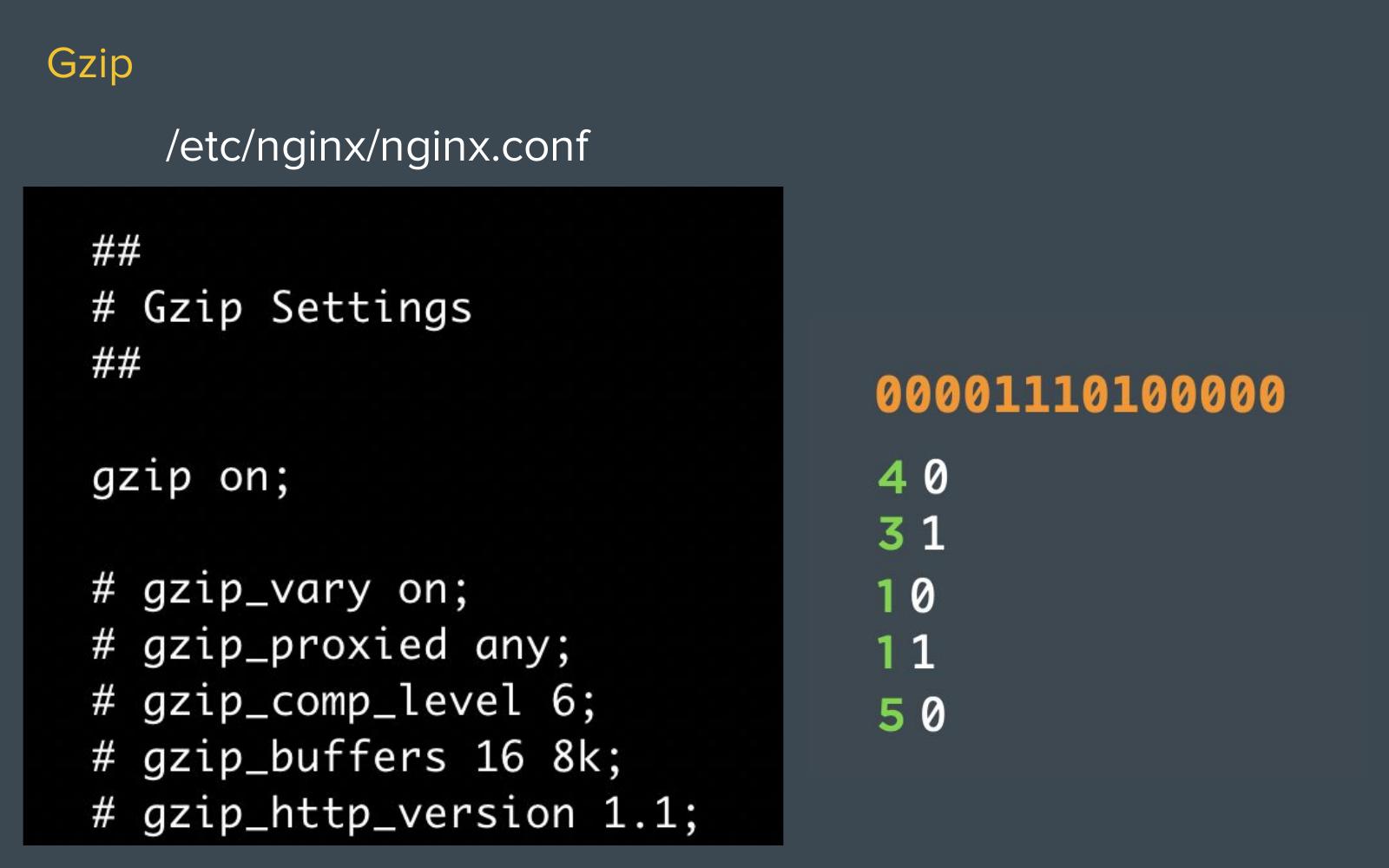
The slide shows gzip on and related settings in /etc/nginx/nginx.conf; commented directives are examples, not active configuration.
A minimal configuration can start with:
gzip on;
gzip_comp_level 6;
gzip_vary on;
These settings control how Nginx handles Gzip compression:
gzip on;
→ Enable Gzip compression

gzip_comp_level 6;
→ Set the compression level to 6

gzip_vary on;
→ Add "Vary: Accept-Encoding" to the response
After editing the configuration, validate it before reloading Nginx:
sudo nginx -t
sudo systemctl reload nginx
gzip_comp_level 6 controls the balance between response size and CPU usage. The next section explains why a higher compression level is not always better.
D. Gzip Compression Level
Gzip compression has different compression levels.
The course discusses approximately:
It may seem logical to always use the maximum compression level:
9 → Maximum compression
But higher compression requires more CPU work for incoming connections.
The course says that around:
6
is generally considered a good balance between compression and performance.
Conceptually:
Compression Level
        ↓
        6
        ↓
Balance
├── File size
├── Speed
└── CPU usage
The important lesson is:
Maximum compression is not automatically the best choice for a production server.
There is a trade-off between reducing file size and using server CPU resources.
E. How Compression Works
The course gives a simplified explanation of compression.
At the lowest level, files are represented by computers as binary data — sequences of 0s and 1s.
0s and 1s
Imagine we have repetitive data:
00001110100000
Instead of storing every individual value, a compression algorithm can describe repeated patterns in a shorter way.
Conceptually:
0000
↓
four zeros

111
↓
three ones

0
↓
one zero
The general idea is:
When this is applied across a large file, the compressed representation can be significantly smaller.
The course emphasizes that this is a simplified conceptual example of compression rather than the exact implementation of Gzip.
F. Compression vs. Hashing
The course also compares compression with hashing.
The most important difference is reversibility.
Compression
│
├── Reduce the representation of data
└── Designed to be decompressed
        ↓
   Original data


Hashing
│
├── Produce a hash
└── Not designed to be reversed
For example:
But hashing works differently:
So:
Compression is designed to be unpacked; hashing is not designed to be reversed.
G. Why Gzip Is Less Useful for Images
The course points out that applying Gzip to images usually does not provide the same benefit.
Why?
Because common image formats are already compressed.
For example:
Bitmap
↓
Can be very large

PNG / JPEG
↓
Already use image compression
So conceptually:
The course uses bitmap versus PNG as an example of how much difference image compression itself can make.
H. Other Examples of Compression
The course also mentions familiar compressed media formats:
Images
├── PNG
└── JPEG

Audio
├── WAV
│   ↓ compression
└── MP3
For example, the course describes MP3 as a compressed form compared with WAV.
These examples illustrate that compression is not unique to web servers or Gzip.
Different formats use different compression techniques depending on the type of data.
I. The Big Picture
The two main ideas in this section are:
and:
For Gzip, remember the trade-off:
More Compression
      ↓
Smaller data
      +
More CPU work
So the core lesson is:
Nginx can control where requests are redirected and can compress responses with Gzip to reduce the amount of data sent over the network.